

==> How to Start a Successful Digital Marketing Career in 2024 <==
What Is Animaker Used For?
With over 9 million users creating more than 20 million videos using its extensive library of 100 million assets, Animaker's versatility is undeniable. I initially discovered Animaker while searching for a voice-over software to complement another video tool. Little did I know, Animaker was much more?it was a complete video-making platform.
When my previous tool, which relied on Flash, stopped functioning, I turned to Animaker. It quickly became my go-to solution for animated video creation.
Why Is Animaker the Best Animated Video Tool?
My journey with Animaker began out of necessity but turned into a revelation. Despite not having a traditional college education, I found Animaker?s intuitive drag-and-drop builder to be exactly what I needed. As an affiliate marketer, I've tested countless tools, but Animaker stood out for its simplicity and effectiveness.
In less than an hour, I created my first animated video. The platform offers a powerful character builder, billions of customization options, over 100 million stock videos and photos, 1,000+ templates, and 4K quality output. It even allows easy resizing for various social media platforms. Most importantly, it works seamlessly without glitches, proving that Animaker has mastered the art of animation with a comprehensive yet user-friendly tool.
Get Started with the Best Tools and Training
To make the most out of your video creation journey, I highly recommend our Storytelling Backgrounds & Video Training Bundle. It provides all the essential tools and comprehensive training you need to create professional, engaging videos with ease.
Check out The Storytelling Backgrounds & Video Training Bundle to get started today!
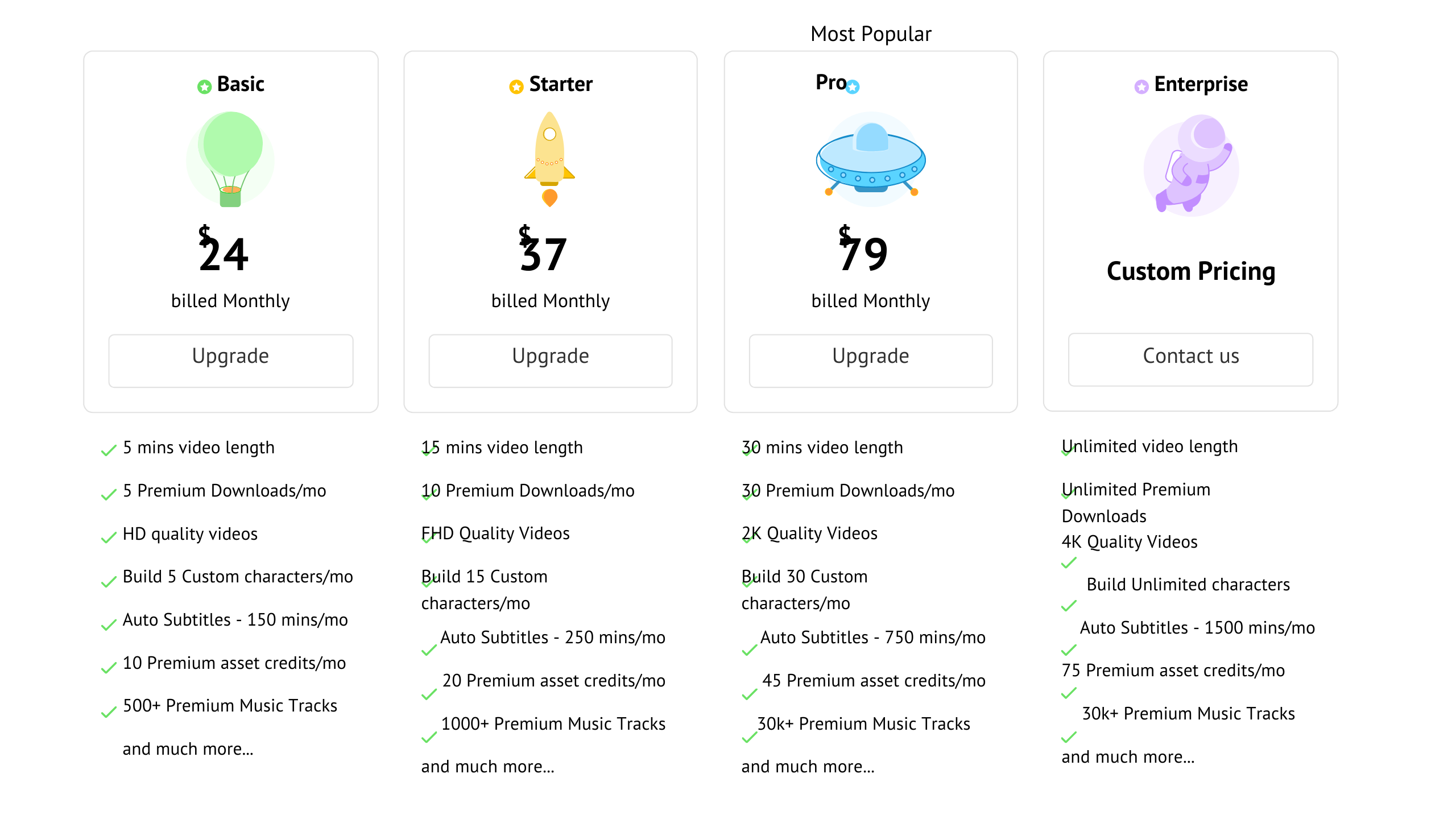
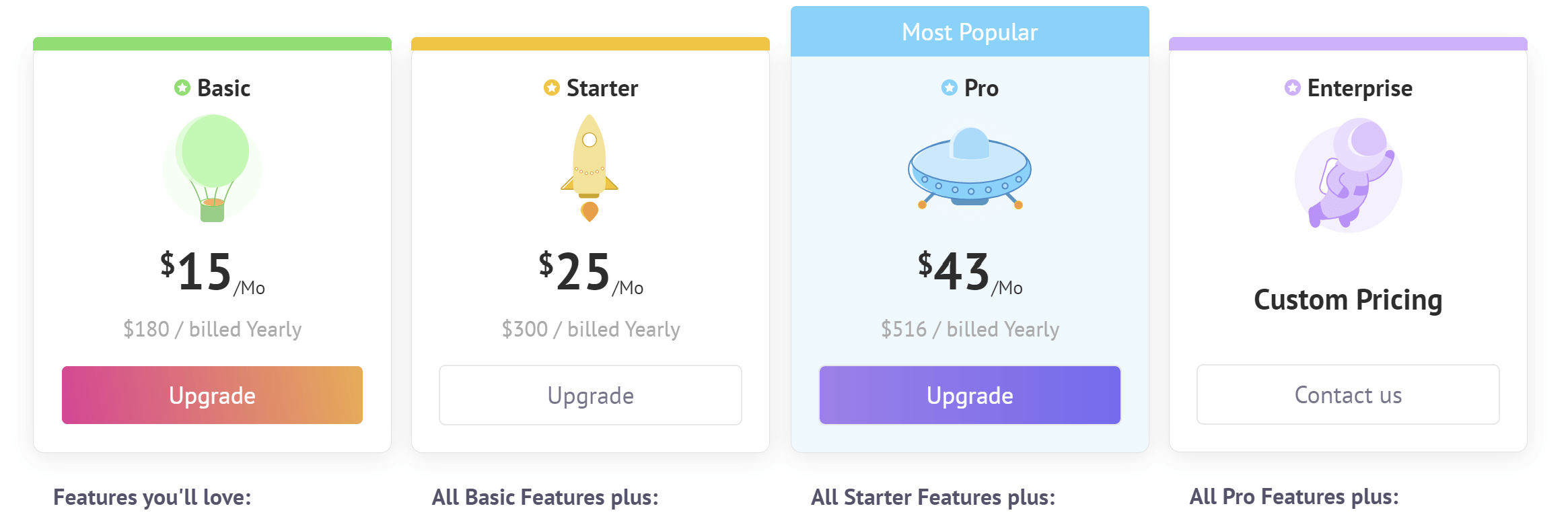
Animaker Price Plans
Monthly VS. Yearly Subscription
Animaker has 4 price plans 5 if you count the Free Plan. Animaker also has 2 pricing structures that you need to be aware of. One is the monthly plan and the other is yearly.
The yearly gives you a better value as compared to the monthly subscription shown below.
Professional Animaker Video Creation Techniques
Beyond just the basics, employing professional techniques can further enhance your Animaker videos. Let's look at some pro tips:
- Use Complementary Colors.
Choose palettes with complementary hues that look aesthetically pleasing together. This creates greater visual impact. Contrasting shades also helps elements stand out.
- Enable Motion Blur
Adding motion blur to moving objects makes animations appear smoother and more natural. But use subtly for a classy look instead of overdoing blur.
- Include Establishing Shots
Open scenes with wide establishing shots to ground viewers and provide context before zooming into details. This improves flow and storytelling.
- Cut to Silhouettes
Occasionally transitioning to silhouette shots of characters provides a dramatic effect while also masking complex animations. Use sparingly at key moments.
- Overlap Audio Between Scenes
Letting audio like voiceover or music overlap between scenes makes the video feel more cohesive instead of choppy scene changes.
- Use Lower Thirds
Lower third graphics with text details help convey additional information non-verbally like locations, names, dates etc.
- Animate in 3D Space
Leverage 3D effects to add realism through depth, perspective shifts and positional animations. But maintain cohesion with other 2D elements.
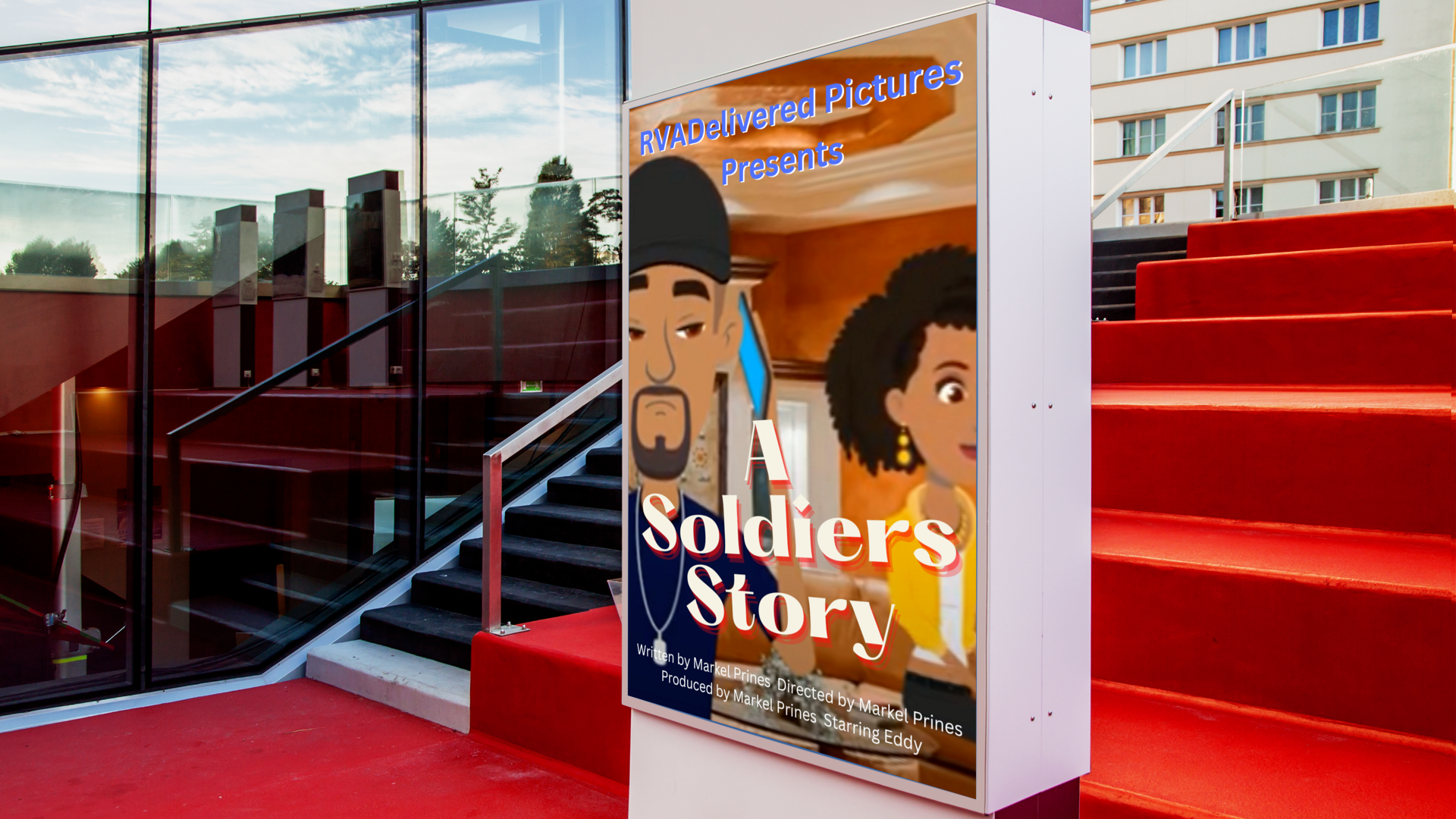
- Include Easter Eggs
Hide little surprises or references in the video only careful viewers will notice. This rewards engaged viewers. Using these professional techniques will help your Animaker videos stand out with polish and purpose.
- Improving Your Video Content With Animaker
If your current videos feel stale and ineffective, Animaker provides multiple ways to drastically improve your video content.
- More Engaging Visuals
Replace static images or low-quality video with lively animated visuals that capture viewer attention and drive up engagement.
- Clearer Communication
Complex ideas come across immediately through animation using visual metaphors, characters and scenarios. Simplify complex narratives.
==> START CREATING WITH ANIMAKER TODAY FOR FREE! <==
- Greater Consistency
Maintain consistent branding, styles, assets, tone, animations and transitions across videos for professional coherence.
- More Concise Messaging
Animaker allows you to cut out fluff and convey ideas in a concise, focused way through clean scripts and impactful visual storytelling.
- Data-Driven Insights
Access built-in video analytics within Animaker to guide your content based on real viewer data.
- Relevant Personalization
Animaker enables you to customize videos with relevant characters, situations and examples tailored to your unique audience for greater resonance.
- Platform Optimization
Animations and motion graphics not only grab attention but also playback smoothly on today's mobile platforms compared to regular video.
- Quicker Iterations
Save tremendous time by easily testing and refining multiple Animaker video versions based on viewer feedback rather than getting stuck.
Level up stale, ineffective video content by tapping into the power of Animaker.
Creating Custom Animated Videos With Animaker
Animaker makes it easy for anyone to create sleek, modern animated videos. Follow these tips for professional custom animated video production:
- Start With A Storyboard
Plan out your full narrative with a detailed storyboard covering every scene, asset and animation needed before starting in Animaker.
- Design Custom Characters
Characters bring your story to life. Design protagonists tailored for your brand instead of using generic stock assets.
- Match Audio and Animations
Time animations like emphasis motions and transformations to align with voiceover audio and background music cues for greater dynamic impact.
- Refine Pacing and Timing
Review the video flow and tweak scene lengths, transition speeds, motion timings and audio pacing to ensure smooth, natural viewer progression.
- Unleash Creativity
Take advantage of the limitless possibilities of animation. Explore imaginative locations, characters, transitions special effects not feasible with regular video.
- Simulate Camera Work
Emulate real videography techniques like close-ups, tracking shots, pans, zooms, whip pans etc for enhanced visual storytelling.
- Polish, Revise and Refine
Keep iterating with multiple rounds of review and refinement until the video achieves your creative vision. The power is in Animaker's ease of revisions.
Custom animated videos allow you to bring unique stories and ideas to life. Showcase your originality with Animaker!
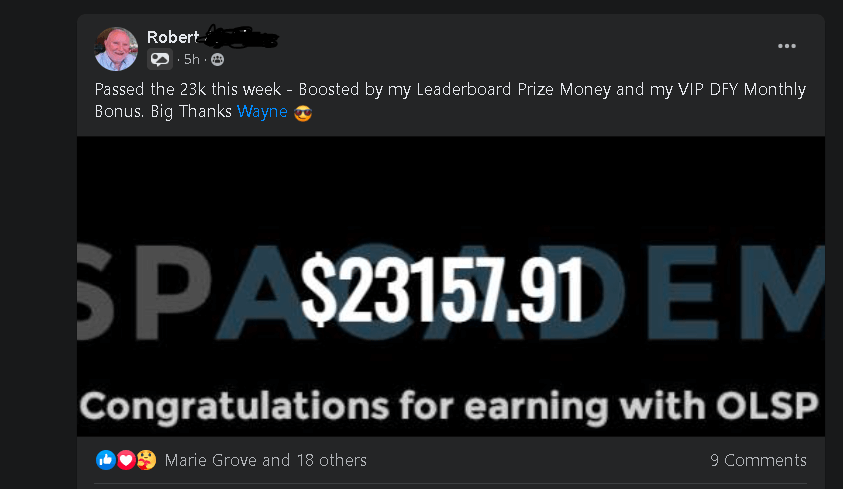
==> LEARN ROBERTS SECRET TO SUCCESS <==
Why Choose Animaker For Video Creation?
So those are the key benefits, applications and tips for producing professional videos with Animaker. But why choose Animaker over other options for your video needs?
- Easy and Intuitive Interface
Animaker's drag-and-drop interface is designed for simplicity and ease of use. Other tools have steep learning curves but Animaker lets anyone create quickly.
- Speed and Efficiency
Rapidly assemble amazing videos using templates, ready-made assets and automatic animation tools. Other tools slow you down with tedious keyframing and confusing timelines.
- Creativity and Flexibility
????????????????????????Animaker gives you endless creative options for customization and experimentation unmatched by limited template-based tools. Bring your vision to life.
- Professional Quality
The videos created match the polish and production values of expert studios, unlike amateurish results from basic DIY apps.
- Seamless Workflow
Animaker handles the entire video production process in one unified workspace. Switching between multiple apps results in a fragmented workflow.
- Cloud Accessibility
Animaker allows easy online access and collaboration from anywhere unlike desktop-based software needing installation.
- Continued Innovation
As an industry leader, Animaker is constantly releasing upgrades and new features well beyond most stagnant animation tools.
For intuitive, fast and powerful animated video production, Animaker is the top choice by far.
Conclusion
I hope this detailed guide covered everything you need to know about getting started with Animaker and maximizing its tools to produce engaging, effective videos.
Animaker's online animation software makes creating professional videos easy and affordable for businesses and creators of all sizes without advanced skills needed.
Choose from a wide range of video templates and customize every element using Animaker's extensive assets and tools. Collaborate across teams using robust cloud features. Animaker handles the entire production process from storyboard to publishing, freeing you to focus on creative impact.
So if you're looking for an intuitive, cost-effective and quick way to level up your video content, Animaker is the perfect solution.
Try it out for your next video project to engage your audience and boost your marketing results like never before!